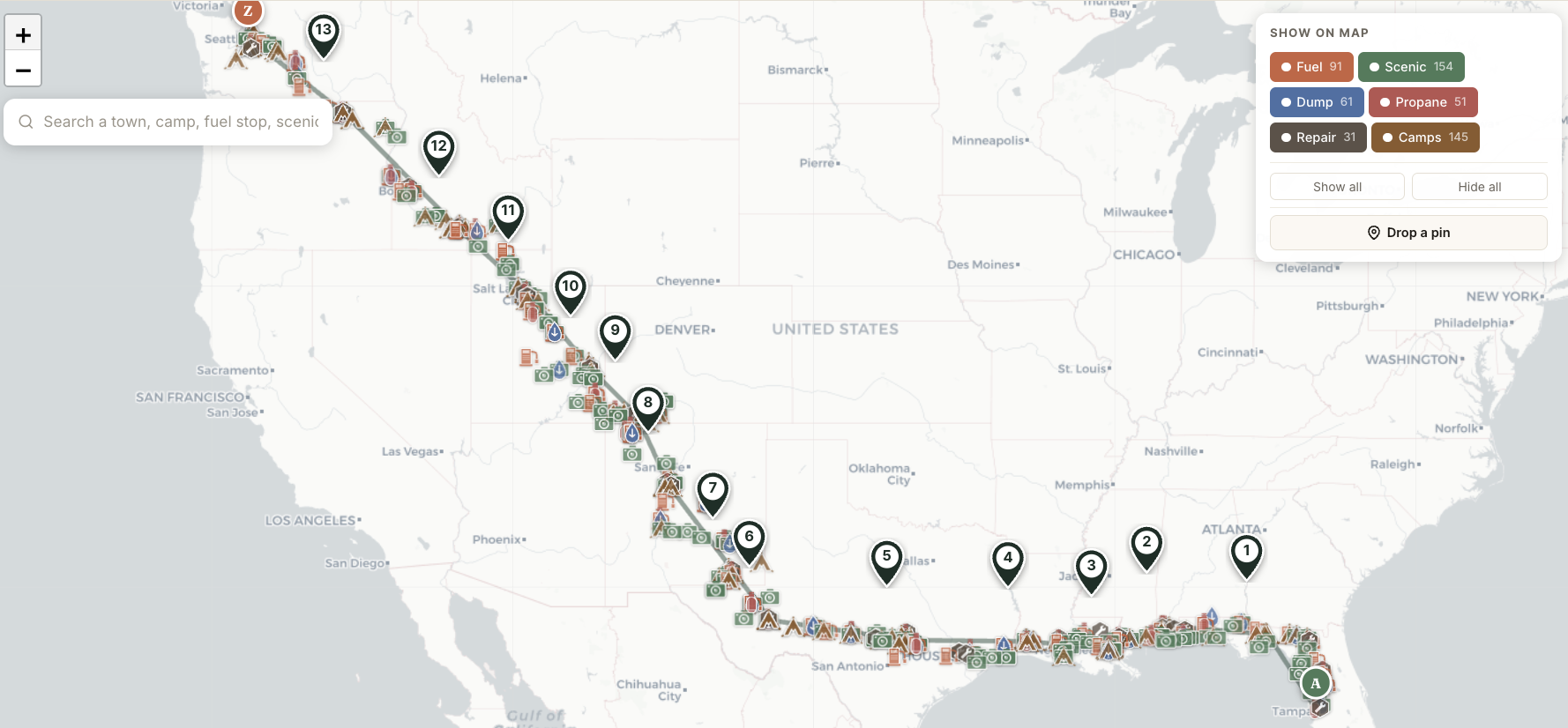
Your whole trip on one map.
Tampa to Seattle. 3,540 miles. 14 Travel Days. Hundreds of POIs along the route — fuel, scenic, propane, campgrounds, repair, dump.
Zoom in on a region; zoom out to see the full journey. Your trip becomes a single browseable artifact instead of seven open tabs.
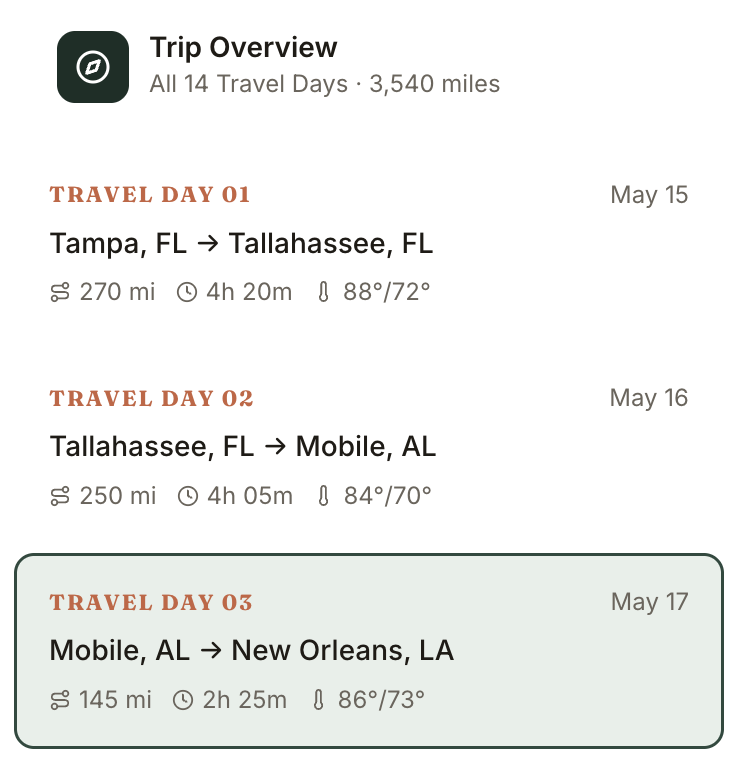
Every day of the trip, at a glance.
Each day in your trip becomes a single row: date, route, miles, hours, weather summary. The whole trip, scannable in 10 seconds.
Click any day to dive deep. The currently-selected day is highlighted so you never lose your place.
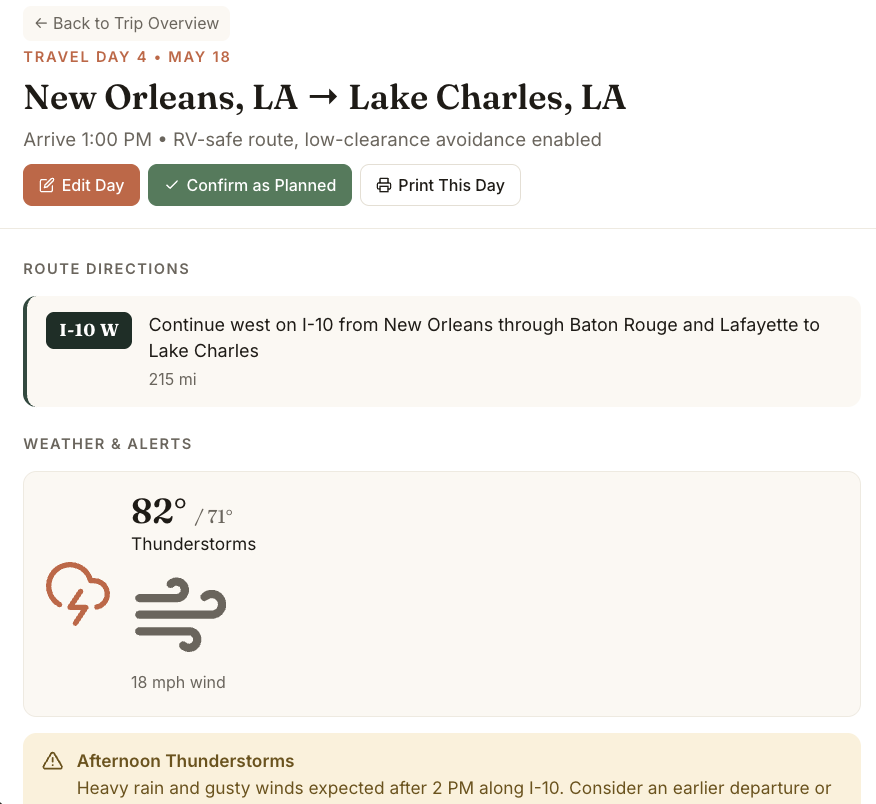
A complete plan for every single day.
Click into Travel Day 4 — New Orleans to Lake Charles. Route directions, RV-safe routing, weather, alerts. Edit inline. Confirm as planned. Print this day.
Each day stands on its own as a complete travel reference — the kind of thing you'd actually pull up the morning of departure.
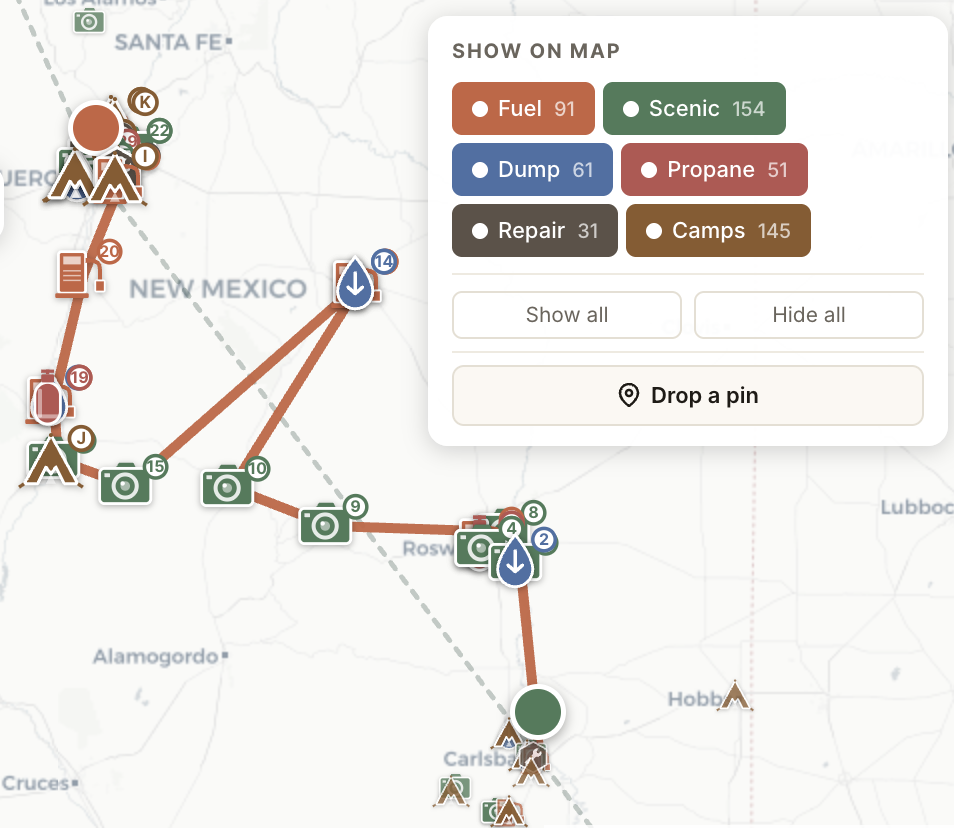
Maps that show what RVers actually need.
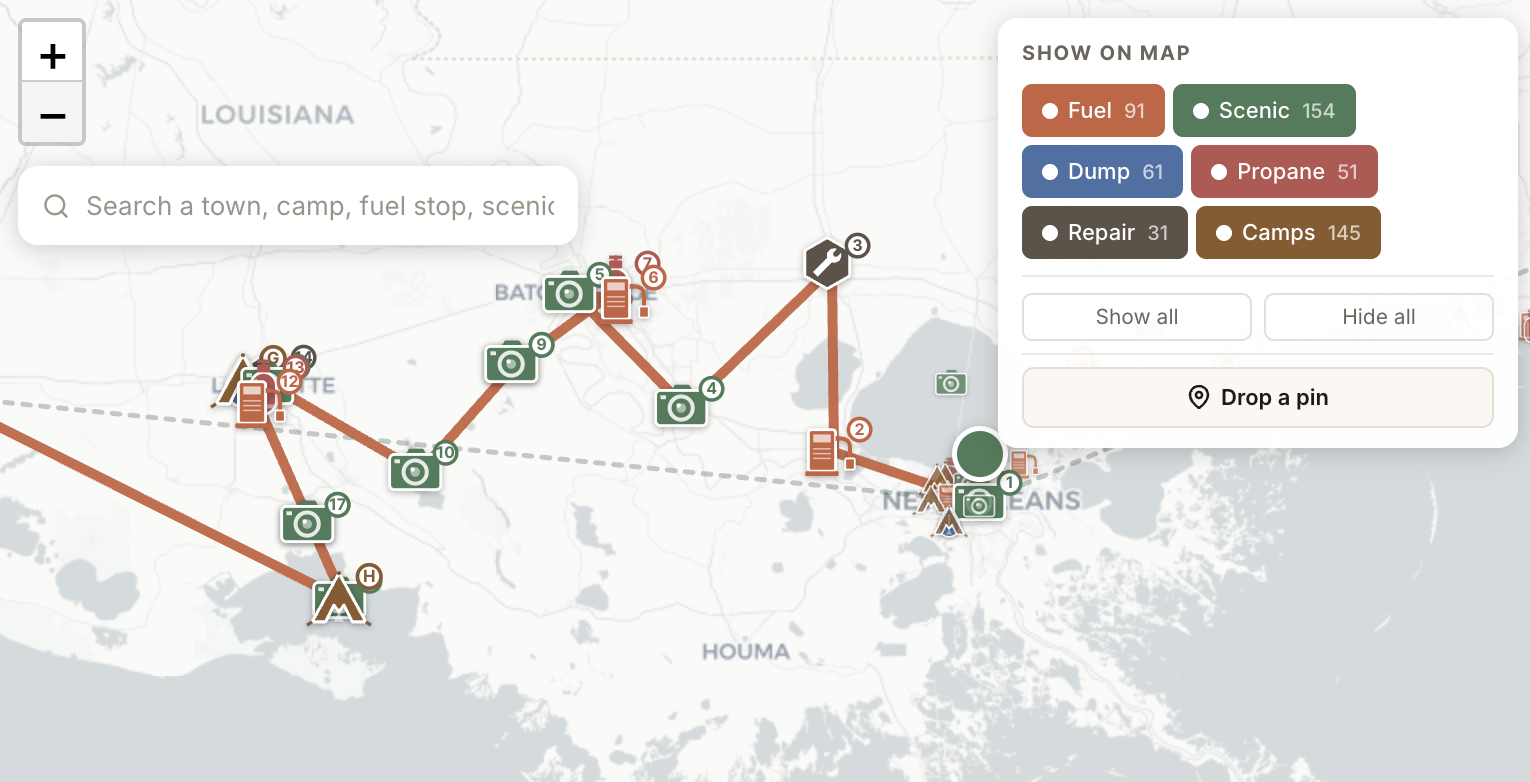
Zoom into any Travel Day. Every fuel stop, scenic detour, dump station, repair shop, and campground along the route is right there — plotted on the map, numbered on the list.
No more flipping between Google Maps, Roadtrippers, and AllStays. One view. The whole picture.
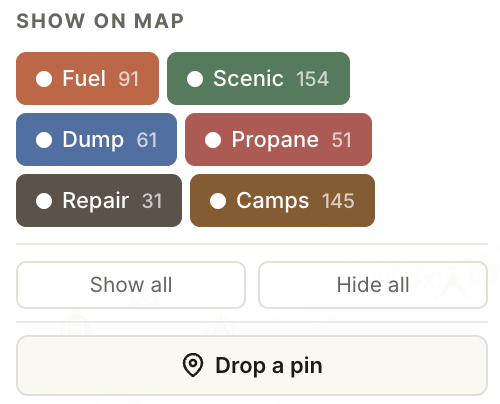
Six categories. Toggle what matters.
Every Travel Day surfaces the things RVers actually need: Fuel, Scenic, Propane, Campgrounds, Repair, Dump.
Show all when you're exploring. Hide most when you're heads-down driving. Tap any POI for details, address, hours, and directions.
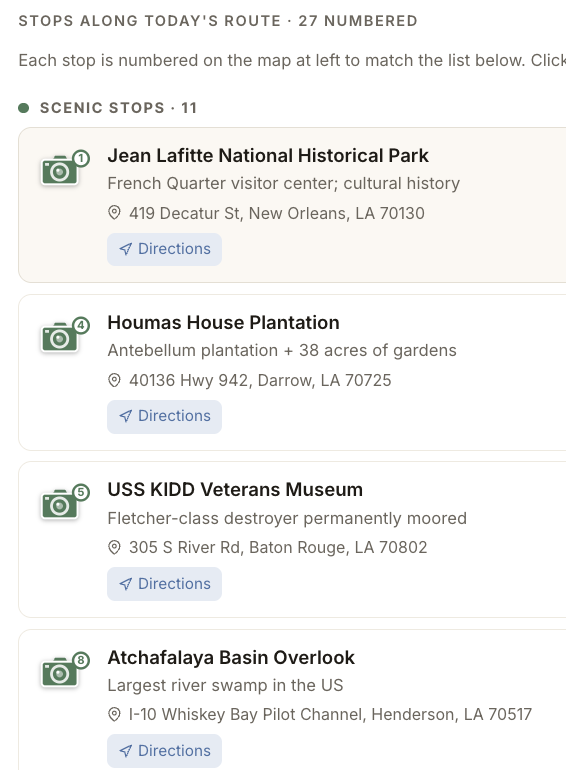
It all comes together.
Zoom level controls how much detail you see. The same trip, the same data, viewable as the continental sweep, the regional map, or the day-by-day depth.
Edit a single Travel Day and the rest cascade automatically — start coordinates shift, mileage recomputes, dates ripple forward. The trip becomes a living document, not a fragile spreadsheet.